Tracking Pack — GPS & Satellite Motion Loops

TRACKING
Motion Loops Pack - 90 Assets
Satellite maps, Digital maps, Monitoring panels, Tracking dots, Tracking grids, Voice waves, and more.
$59 | Buy Now
Motion Loops Pack - 90 Assets
Satellite maps, Digital maps, Monitoring panels, Tracking dots, Tracking grids, Voice waves, and more.
$59 | Buy Now
What's inside
Every Motion Loop is a unique, custom-crafted, and perfectly looping footage that you can customize, mix, blend, and render in resolutions up to 4K, available in multiple formats, from video to sprite sheet and Unreal materials, for an easy drag and drop process.
Video Loops
4K and FullHD
MP4 and Bink 2

Unreal Materials
Drag and Drop
Binks and Flipbooks
Sprite Sheet
16x16 frames | 4K & 8K
256px and 512px frames
Masks
4K and FullHD
for cut-out assets


+ Mask


+ Mask


+ Mask


+ Mask


+ Mask


+ Mask


TRACKING
Motion Loops Pack - 90 Assets
Satellite maps, Digital maps, Monitoring panels, Tracking dots, Tracking grids, Voice waves, and more.
$59 | Buy Now
Motion Loops Pack - 90 Assets
Satellite maps, Digital maps, Monitoring panels, Tracking dots, Tracking grids, Voice waves, and more.
$59 | Buy Now

Original
All of our assets were exclusively created for displaying.xyz.

Looping
Every animation is a perfect loop, to be indefinitely playable.

High Resolution
Each video is available in 4K and 1080P resolutions.

Made to Fit
All of our assets are built to effortlessly mix and blend with one another.

Multi-format
Each asset is delivered in MP4, Sprite sheet, Bink, and Unreal materials.

Royalty-free
You can use your assets in personal and commercial projects.
Unreal Materials
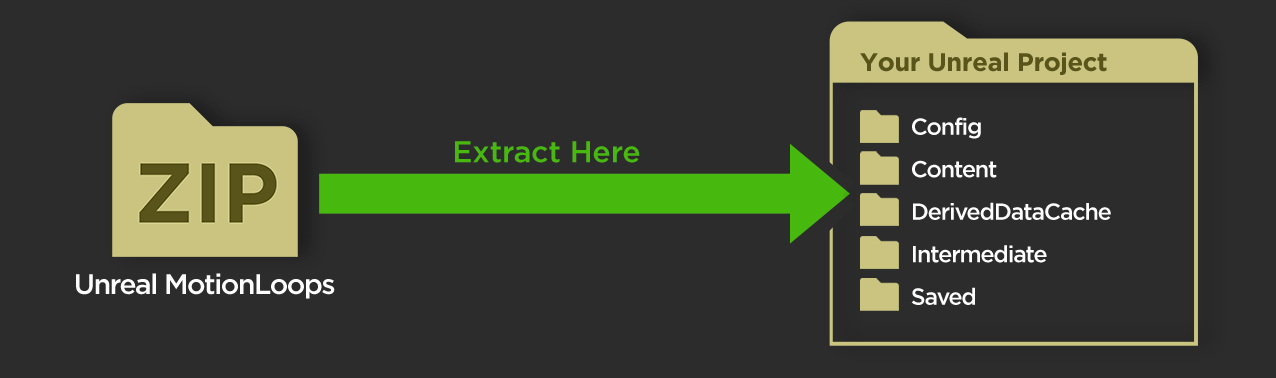
To install your Unreal materials, download and extract your Zip file (named " MotionLoops_[Name]_Unreal_[Format].zip ") to your Unreal Project's root folder. If you don't see your new materials show up immediately, restart Unreal.
Once your Unreal materials are installed, in your Content Browser, navigate to " Content > displaying_xyz > [PackName] > [Format] > Materials ".
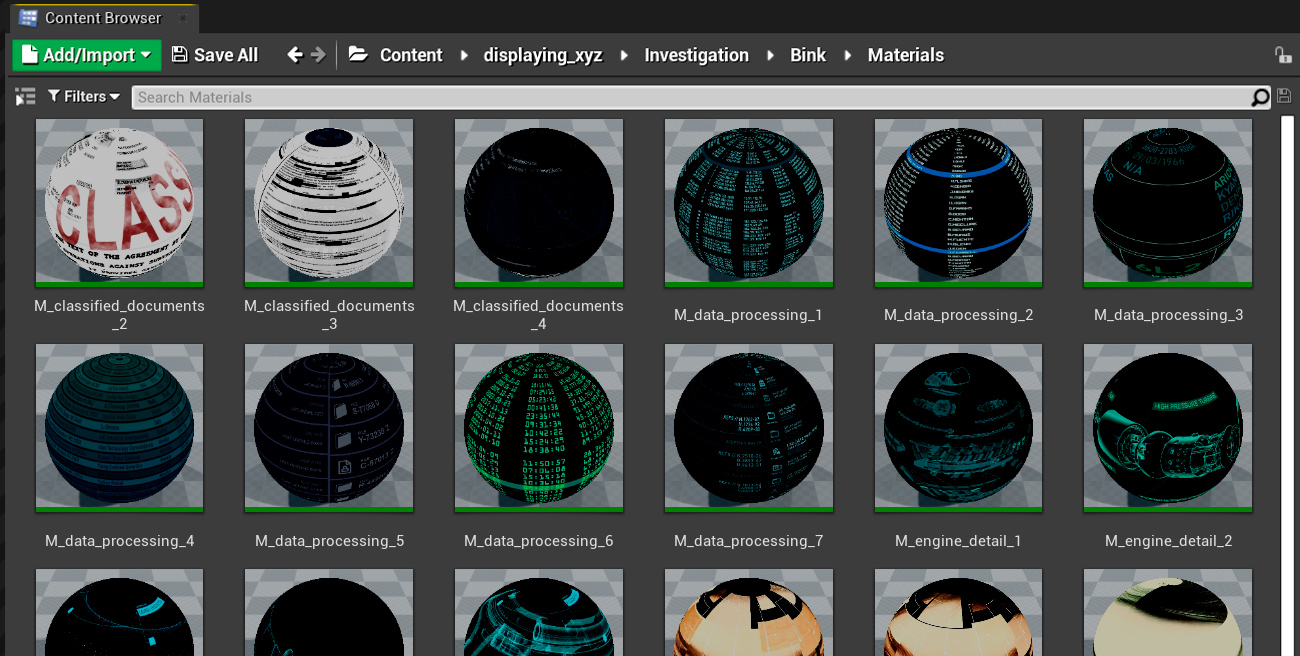
Then simply drag and drop your materials onto your objects, they will automatically play in a seamless loop.
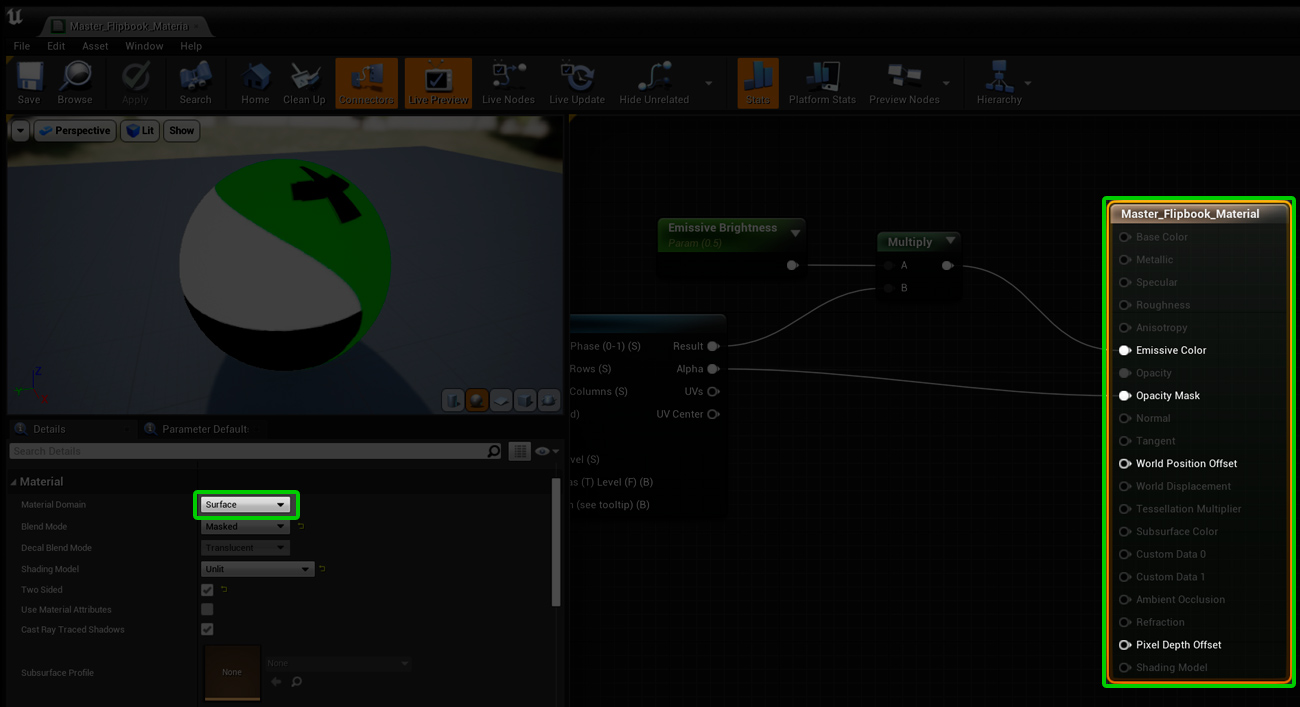
To use your materials in UMG (Unreal Motion Graphics, the Unreal 2D editor), open your master material:
- Content > displaying_xyz > Master_Flipbook_Material for sprite sheet materials
- Or Content > Movies > displaying_xyz > Master_Bink_Material for Bink materials
Select the materials node and change its Material Domain from Surface to User Interface.
- Content > displaying_xyz > Master_Flipbook_Material for sprite sheet materials
- Or Content > Movies > displaying_xyz > Master_Bink_Material for Bink materials
Select the materials node and change its Material Domain from Surface to User Interface.