Packs Overview — displaying.xyz
All your screens done in seconds
A massive online library of high-resolution, state-of-the-art motion graphics, seamlessly looped FUI elements, perfectly crafted to mix and blend.
Each Motion Loop is original, exclusive, and formatted to drag and drop in your movie or game.
A massive online library of high-resolution, state-of-the-art motion graphics, seamlessly looped FUI elements, perfectly crafted to mix and blend.
Each Motion Loop is original, exclusive, and formatted to drag and drop in your movie or game.

A selection of free Motion Loops that you can use in your personal or commercial projects.

Hacker code, Biometric scans, Access panels, Retinal scans, Database Search, Decryption, Data transfers, and more.

Medical information, Vital signs monitoring, Microscopic biology, Organic backgrounds, 3D Body parts, and more.

Fingerprints, Identikit, License plates, ID search, Sound waves, Classified documents, Analysis panels, and more.

Broadcasting, Lower thirds, Operating systems, Screensavers, Talking heads, CCTV, Screen damage, and more.

Planets, Solar systems, Stars, Digital landscapes, Control panels, Spaceship status, Alert messages, and more.

Environment signage, Shop signs, Animated icons, Commercial products, Propaganda, Vibrant backgrounds, and more.

Satellite maps, Digital maps, Monitoring panels, Tracking dots, Tracking grids, Voice waves, and more.

3D weapons, 3D vehicles, Radars, Exploded devices, World maps, Scope reticles, Binoculars, and more.

Original
All of our assets were exclusively created for displaying.xyz.

Looping
Every animation is a perfect loop, to be indefinitely playable.

High Resolution
Each video is available in 4K and 1080P resolutions.

Made to Fit
All of our assets are built to effortlessly mix and blend with one another.

Multi-format
Each asset is delivered in MP4, Sprite sheet, Bink, and Unreal materials.

Royalty-free
You can use your assets in personal and commercial projects.
Unreal Materials
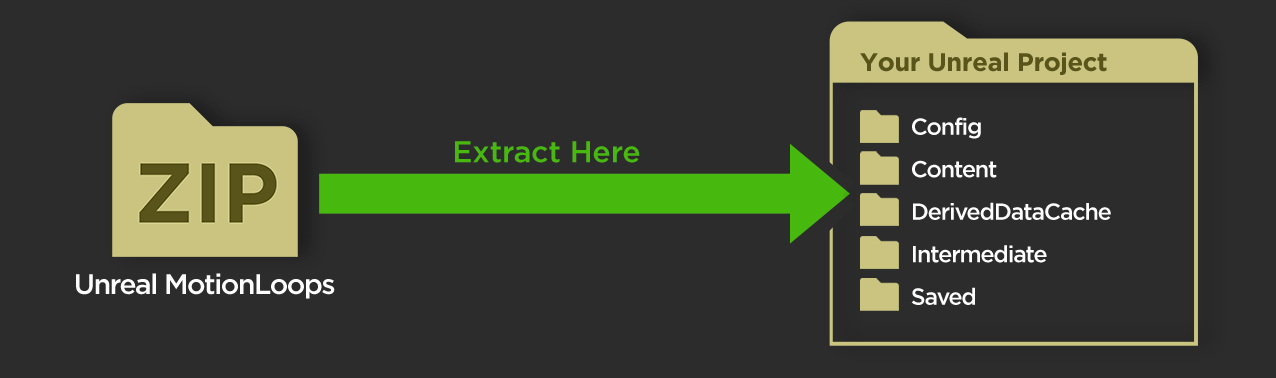
To install your Unreal materials, download and extract your Zip file (named " MotionLoops_[Name]_Unreal_[Format].zip ") to your Unreal Project's root folder. If you don't see your new materials show up immediately, restart Unreal.
Once your Unreal materials are installed, in your Content Browser, navigate to " Content > displaying_xyz > [PackName] > [Format] > Materials ".
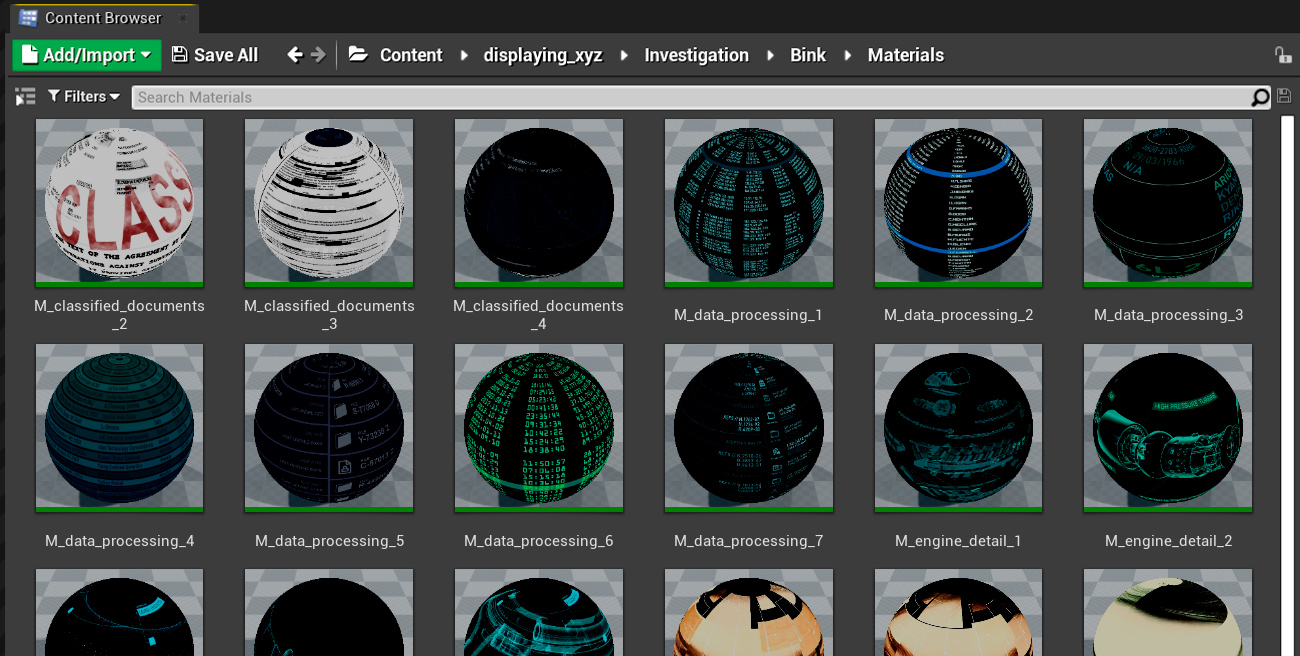
Then simply drag and drop your materials onto your objects, they will automatically play in a seamless loop.
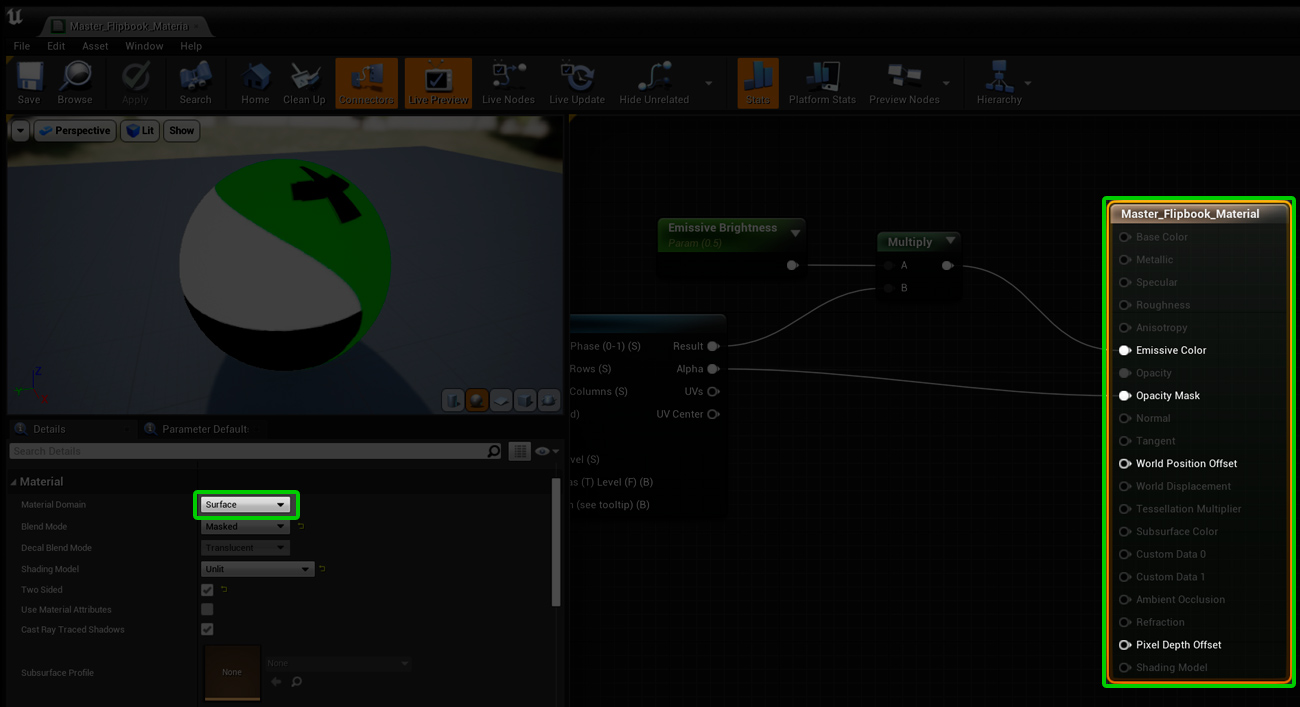
To use your materials in UMG (Unreal Motion Graphics, the Unreal 2D editor), open your master material:
- Content > displaying_xyz > Master_Flipbook_Material for sprite sheet materials
- Or Content > Movies > displaying_xyz > Master_Bink_Material for Bink materials
Select the materials node and change its Material Domain from Surface to User Interface.
- Content > displaying_xyz > Master_Flipbook_Material for sprite sheet materials
- Or Content > Movies > displaying_xyz > Master_Bink_Material for Bink materials
Select the materials node and change its Material Domain from Surface to User Interface.